Complete.dev: A Practical Guide to Collaborative AI Agents for Product, Project, and Engineering Teams
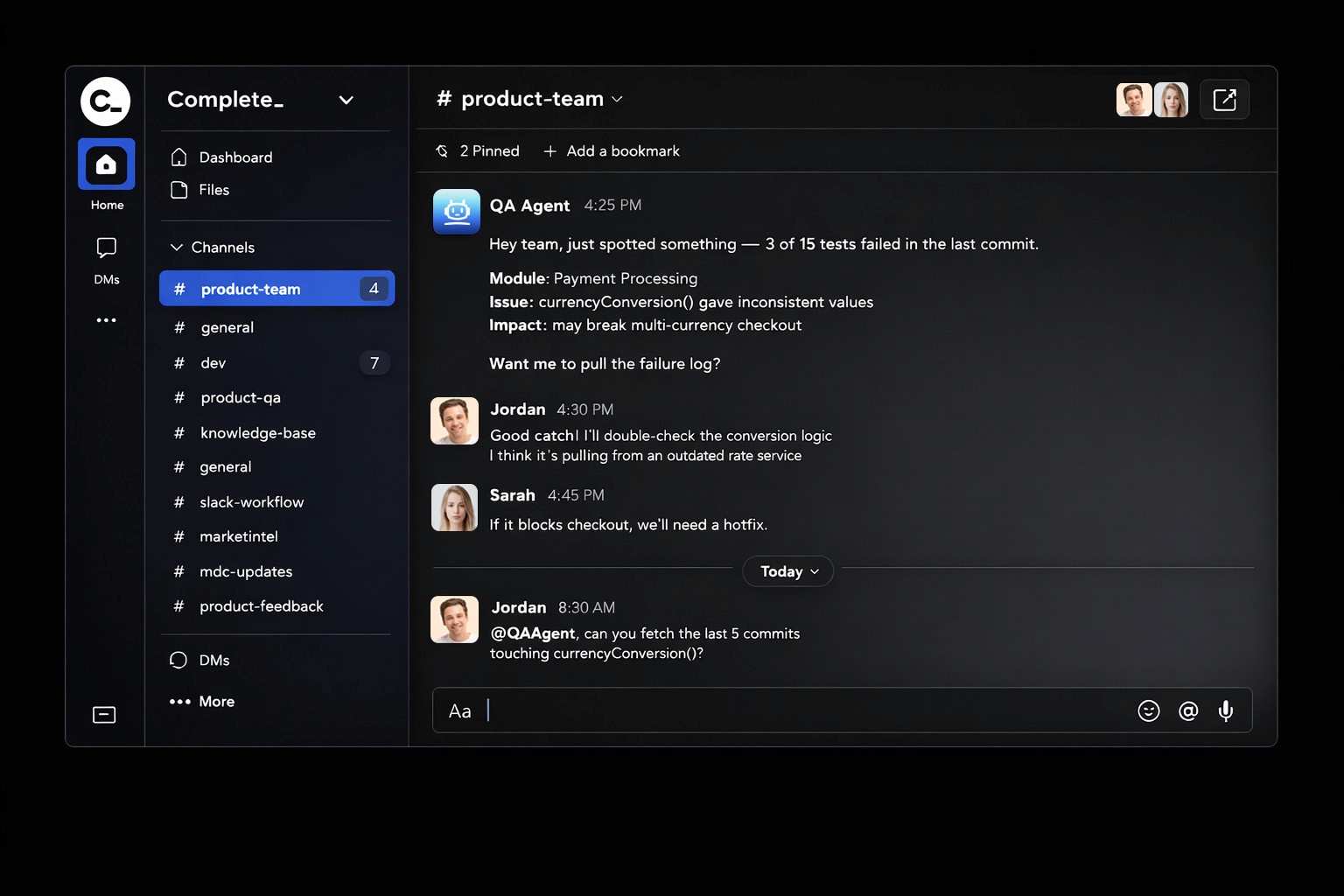
Complete.dev: A Practical Guide to Collaborative AI Agents for Product, Project, and Engineering Teams
TL;DR
Complete.dev is a team-oriented AI workspace built around shared context—so product, project, and engineering teams can collaborate with AI in a single thread instead of running isolated “solo” chats. Inside Complete, teams benefit from an all-in-one, integrated environment where multiple AI agents collaborate to streamline workflows across strategy, development, and marketing.
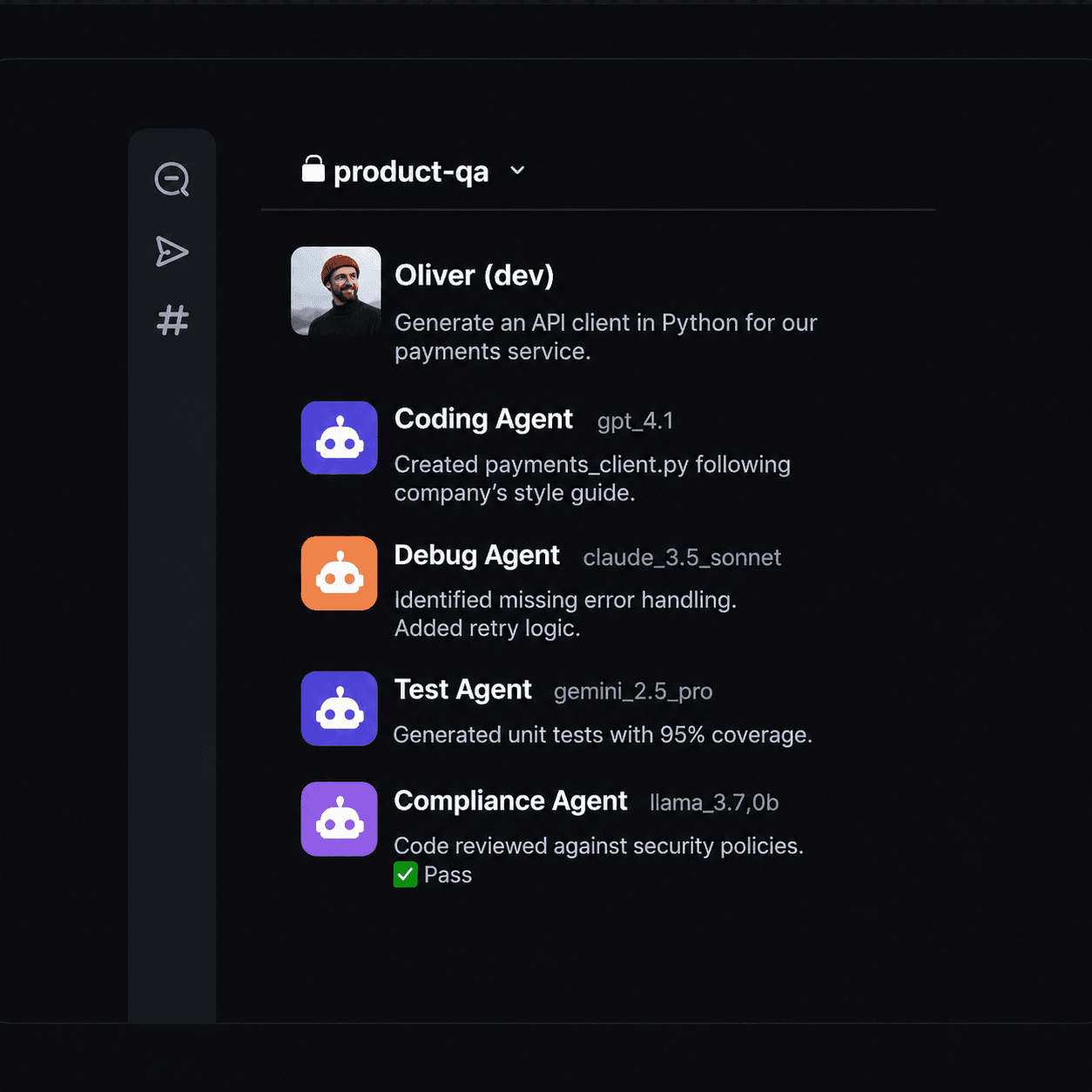
It combines collaborative AI chats, including a built-in code editor for real-time collaboration between human developers and AI agents, shared files and context (Complete.dev emphasizes shared context through files, allowing AI agents to access necessary information for accurate performance), role-specific AI agents (Complete.dev provides specialized AI agents for coding, project management, and marketing), and multi-model orchestration (the coding agent in Complete.dev runs multiple specialized models in parallel for coding, debugging, and compliance tasks, including running multiple models in parallel for tasks like coding, testing, and reasoning).
Specialized agents in Complete.dev can automate tasks such as summarizing information, monitoring project progress, and accelerating debugging.
Complete also adds governance controls—organizations can control context, memory, and rules—plus enterprise-ready security with strict safeguards for data handling, ensuring your data stays protected and is never shared or used for training, and enterprise options like SCIM/SAML/RBAC and custom SLAs.
Complete.dev allows for flexible deployment, including on-premise options for organizations with strict compliance needs, and offers centralized management for unified billing and team oversight.
If your team is already using AI but losing time to copy-paste workflows and context loss, Complete is designed to turn that activity into shared, repeatable execution. The platform delivers a seamless experience, prioritizing user satisfaction and ease of use. With a strong dev focus, Complete.dev empowers development teams to work smarter and faster. In a competitive market of AI tools, Complete.dev stands out with its collaborative features and robust capabilities. Experience the power of unified AI teamwork with Complete.dev.
Quick answer: What is Complete.dev?
Complete.dev is a collaborative AI workspace where teams use AI agents in shared conversations with shared files and shared context, so outputs and decisions persist for the whole team. It enables collaboration on multiple projects within the same workspace, allowing teams and AI agents to manage and contribute to interconnected initiatives efficiently.
The premise of Complete.dev is to provide an all-in-one environment where both humans and AI collaborate seamlessly inside a unified workspace, supporting organizational workflows through persistent context and shared resources.
Quick answer: What problem does Complete.dev solve?
It reduces duplicated work caused by isolated AI chats, repeated prompting, and context loss across product, project, and engineering roles.
By removing friction in the development process, Complete.dev enables developers to focus on writing code, improving productivity and efficiency. Tasks that previously took weeks can now be completed in days or even hours with Complete.dev, dramatically accelerating project timelines.
Quick answer: What makes Complete.dev different?
Complete combines team-first collaboration, multi-agent workflows, multi-model execution (including parallel runs), and governance controls in a single platform.
With end-to-end visibility, Complete.dev provides a single view across all stages of the DevOps lifecycle, ensuring improved tracking and control. This unified approach fosters a shared understanding of the entire stack, enhancing team communication and maintaining alignment on a unified project vision.
A clear sign of Complete.dev's effectiveness is the seamless collaboration and steady progress teams experience when using the platform.
Quick answer: Who is it for?
It’s built for teams that need shared context around plans, code, progress, and decisions—especially product, project, and engineering.
For users seeking career-oriented resources, Complete.dev offers placement support and industry-aligned skill assessments, along with a comprehensive full-stack curriculum that covers the entire application lifecycle, including front-end, back-end, and database management.
This makes Complete.dev the ideal choice for teams and individuals looking for a platform that combines collaboration, skill development, and real-world readiness.
Quick answer: Is it enterprise-ready?
Yes. Complete includes governance controls (context/memory/rules) and an enterprise tier that can include custom agents and identity/access features like SCIM/SAML/RBAC.
Complete.dev provides enterprise-ready security with strict safeguards for data handling, flexible deployment options including on-premise installations for organizations with strict compliance needs, and centralized management for unified billing and team oversight.
With support for https protocols, Complete.dev ensures secure, modern digital workflows for collaborative AI-powered development.
What is Complete.dev?
Complete.dev is a team-oriented AI workspace centered on shared context.
In practice, that means your team collaborates with AI in shared conversations, with files and outputs organized per workspace—so the knowledge created by AI doesn’t disappear inside individual chats.
By streamlining workflows and reducing bottlenecks, Complete.dev helps teams eliminate waiting and accelerate delivery, resulting in faster time to market.
Key idea: Complete is designed to convert “solo AI usage” into team workflows through shared context, reusable outputs, and role-specific agents aligned with team rules.
The Problem Complete Solves (Why Teams Get Stuck)
Most teams hit the same ceiling when they “add AI” informally:
Isolated chats create isolated knowledge. People repeat prompts, re-justify decisions, and recreate work because context isn’t shared.
Outputs don’t compound. The best debugging session or the best requirements draft gets trapped in one person’s chat history.
Governance becomes a blocker. When AI use scales beyond pilots, organizations need controls over what context is used, what memory persists, and what rules apply.
Tool-hopping eats throughput. Teams bounce between chat tools, docs, task trackers, and IDEs—often copy-pasting prompts and losing context.
Reducing cognitive load by streamlining complex processes and providing necessary tools in one place significantly improves the developer experience. A better experience leads to higher adoption and satisfaction with platforms like complete.dev.
In summary, the bottleneck is rarely “model quality.” It’s usually workflow design + shared context + governance.
Key Definitions:
These definitions are intentionally short and quotable.
coding agent: A customizable AI-powered assistant that helps automate coding, debugging, and compliance tasks within your workflow.
file: A digital document or resource, such as code or markdown, used to organize, execute, or store project information.
document: A structured or unstructured text file, often used for requirements, PRDs, or collaborative notes, that can be managed and automated by AI agents.
repo: Short for repository; a version-controlled storage space for code, files, and automation tools, enabling collaboration and review.
pull request: A workflow step where proposed changes to a codebase are submitted for review and integration, often triggering automated checks.
checks: Automated AI-powered verification steps, such as code reviews or security scans, integrated into development workflows to enforce standards.
markdown file: A text file written in Markdown syntax, commonly used to define and manage automated checks or documentation within a repo.
source controlled ai checks: AI-driven tests or verifications that are stored, versioned, and reviewed within a repository as part of continuous integration.
review: The process of evaluating code, documents, or changes—often automated—to ensure quality, consistency, and compliance.
automate: To use AI agents or scripts to perform repetitive or complex tasks, reducing manual effort and increasing efficiency.
hooks: Functions or features, especially in React, that enable efficient state management and logic reuse in functional components.
watch: To monitor or observe changes, dependencies, or potential issues during development or refactoring processes.
drop: To share or submit feedback, comments, or reviews, often used in the context of community engagement.
comments: User-generated feedback or discussion points, typically found at the end of articles or within code, fostering interaction and insights.
questions: In a chat or conversational interface, specific technical inquiries that AI agents can answer using project context.
find: To identify or discover information, such as keywords or optimization opportunities, often with the help of AI agents.
setup: The initial configuration process required to get a tool or platform running, which may vary in complexity.
continue: Refers to ongoing processes, features, or branding (e.g., Continue CLI), emphasizing seamless progression in development workflows.
copilot: An AI-powered coding assistant, often proprietary, that helps with code suggestions but may have limitations like vendor lock-in.
cursor: A proprietary AI coding assistant tied to a specific ecosystem, with limited customization and deployment options.
data: Information, documents, or structured knowledge that AI agents and teams use to collaborate, automate workflows, and maintain productivity.
Collaborative AI workspace
A collaborative AI workspace is a shared environment where multiple people and AI agents work in the same thread using the same files and project context, enabling seamless collaboration on shared projects so outputs and decisions persist for the entire team.
AI agent
An AI agent is a specialized assistant configured for a role (e.g., product, project, or engineering) that produces work outputs under defined team conventions and rules.
Multi-agent workflow
A multi-agent workflow is a process where multiple specialized agents collaborate on a task—each contributing different strengths—while humans guide decisions and approve final outputs.
Multi-model orchestration
Multi-model orchestration is the ability to use multiple AI models and route tasks to the best model for the job (for example: coding vs. reasoning vs. testing). Some workflows also run models in parallel to compare outputs.
Shared context
Shared context is the collection of workspace files, conversation history, decisions, and outputs that AI can reference so the whole team stays aligned without repeatedly re-explaining the background.
Governance (context, memory, rules)
AI governance is how an organization controls what information AI can use (context), what persists across interactions (memory), and what policies and conventions must be followed (rules).
How Complete.dev Works (A Simple Mental Model)
Think of Complete as a shared execution workspace for humans + agents:
Create a workspace for a product area, project, initiative, or release.
Add context (files, requirements, notes, links) so the AI works from the same source material as the team.
Choose agents (or build your own) aligned to the work you need done.
Work in shared conversations where teammates and AI collaborate in one thread.
Apply governance to control what context and memory are used and what rules are followed.
Reuse outputs and decisions so future work starts from “the team’s truth,” not from scratch.
Integrated CI/CD pipelines enable teams to ship faster by automating build, test, and deployment processes, allowing for frequent, reliable, and incremental updates.
Key point: this is not “better chat.” It’s fewer steps between a brief and a shippable outcome.
What You Can Do in Complete (Capabilities by Outcome)
Reduce context switching and duplicated work
Complete keeps shared conversation history, files, and outputs together as a single place your team can return to—so work becomes reusable instead of disposable.
Use the best AI model for the job (not one model for everything)
Some tasks benefit from different models. AI-powered automation in Complete.dev leverages AI and machine learning to automate testing, detect anomalies, analyze test data, and suggest infrastructure configurations, reducing manual review tasks for engineers. Complete supports multi-model workflows and can run models in parallel when comparison is useful (for example: reasoning vs. code generation vs. test suggestions).
Move faster with specialized agents by role
Complete supports role-based workflows that map directly to how teams actually operate:
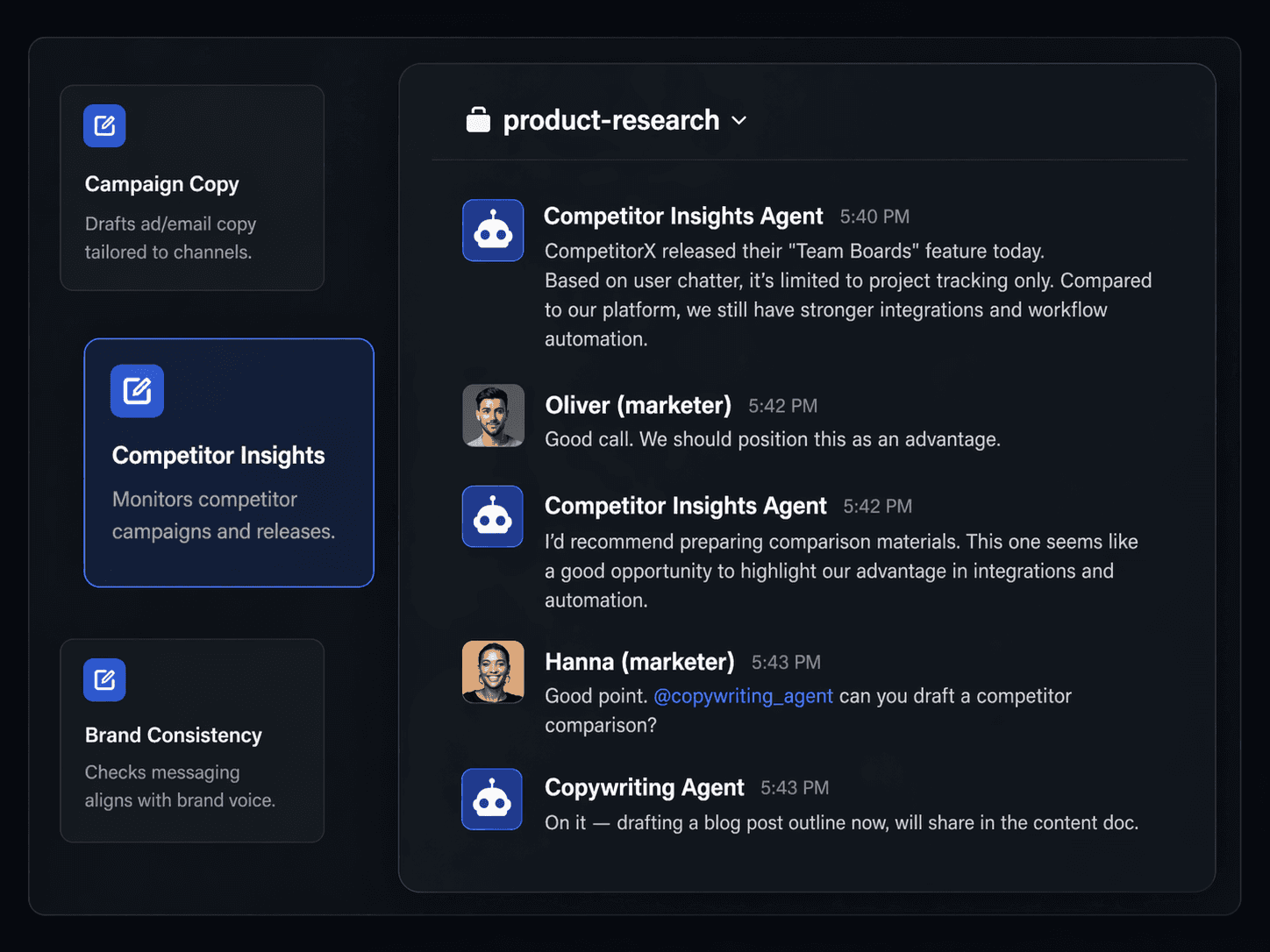
Product management: create summaries, requirements drafts, release notes, and stakeholder updates.
Project management: monitor progress, track blockers, generate status reports, and surface risks.
Engineering: accelerate debugging, generate documentation, and support testing workflows aligned with team conventions.
Build or customize agents
Teams can define specialized agents that reflect how they work—what “good output” looks like, what conventions to follow, and what guardrails apply.
Control risk with governance
Complete includes governance controls to manage context, memory, and rules. Enterprise deployments can also include identity/access features (SCIM/SAML/RBAC) and custom SLAs.
Practical Use Cases (Product, Project, Engineering + Cross-Functional)
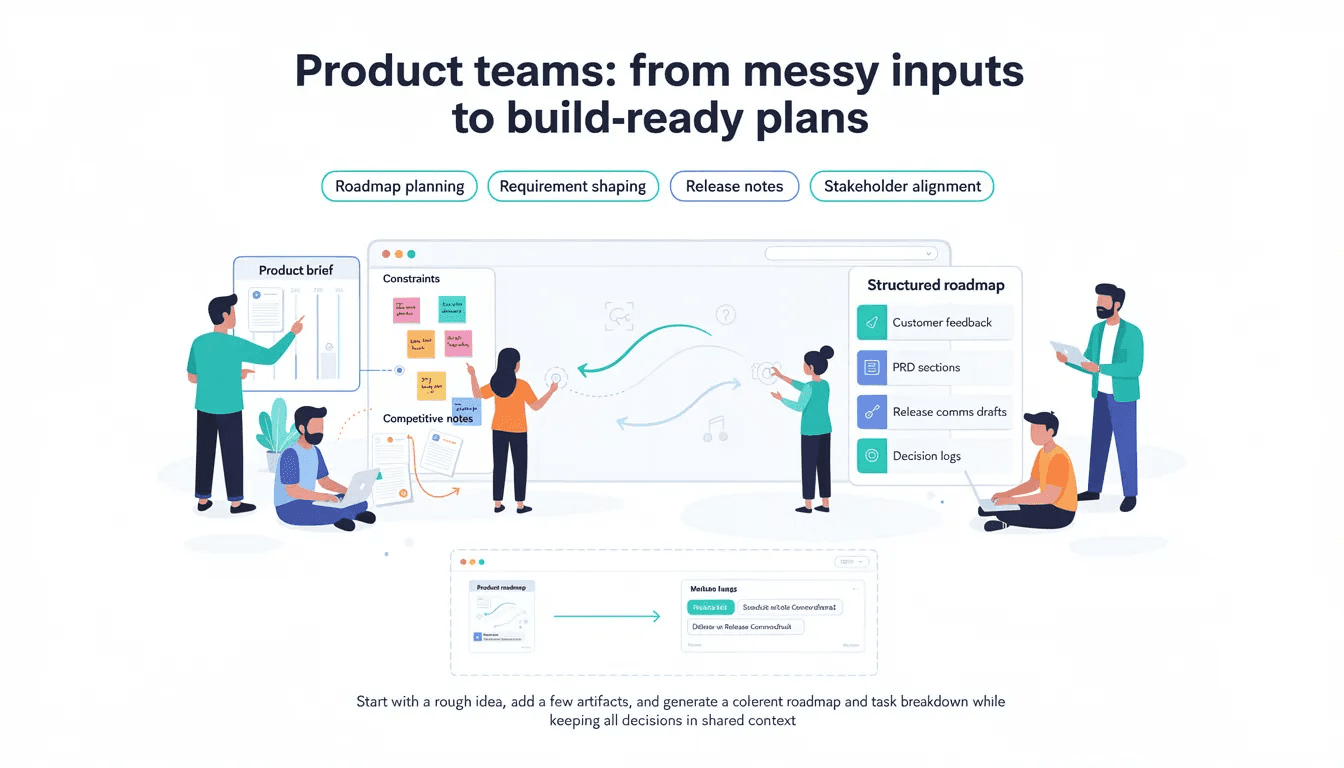
Product teams: from messy inputs to build-ready plans
When to use it: roadmap planning, requirement shaping, release notes, stakeholder alignment
Typical inputs: product brief, customer feedback, constraints, competitive notes
Outputs to expect: structured roadmap, PRD sections, release comms drafts, decision logs
Micro-example: Start with a rough idea, add a few artifacts, and generate a coherent roadmap and task breakdown while keeping all decisions in shared context.
Project teams: progress visibility and blocker tracking
When to use it: weekly updates, milestone planning, risk tracking, cross-team coordination
Typical inputs: project plan, status notes, task tracker exports
Outputs to expect: status summaries, risk lists, blocker logs, next-step plans
Micro-example: Turn scattered weekly notes into consistent reporting without losing the underlying context.
Engineering teams: shared debugging, documentation, and testing
When to use it: debugging sessions, test planning, documentation refresh, design discussions
Typical inputs: code snippets, logs, stack traces, architecture notes, conventions
Outputs to expect: debugging paths, suggested fixes, docs, test ideas aligned to standards
Micro-example: One engineer’s debugging reasoning stays visible so others don’t repeat the same investigation.
Cross-functional teams: decisions, research, and execution in one place
When to use it: launches, incident postmortems, cross-team initiatives, product/engineering/marketing alignment
Outputs to expect: a single thread connecting research, decisions, artifacts, and next actions
What Makes Complete Different? (USP Comparison Table)
The core difference is that Complete is designed for teams (shared context + governance), not just individual chat productivity.
Capability that matters | Typical AI chat / single-user copilots | |
Collaboration model | Mostly individual-centric | Shared workspaces designed for teams |
Context handling | Fragmented across tools | Shared files + shared conversation context |
Agents | Limited / manual | Role-specific agents and workflows |
Models | Often single-model | Multi-model support + parallel runs |
Governance | Basic controls | Control context, memory, and rules |
Enterprise readiness | Varies widely | Enterprise tier with identity/access and SLAs |
Pricing and Packaging (How to Choose)
Complete offers four plans scaled to team size and execution depth, with a 14-day free trial on Plus and Builder plans — no credit card required.
The Plus plan ($50/month) covers up to three users and delivers standard AI agent access plus @code for UI projects and landing pages - the right entry point for small teams putting agents to work for the first time.
The Pro plan ($100/month per user) is the most popular tier, unlocking expanded token capacity, full @code for production-grade projects, and priority support - built for individual builders who need full AI execution power to ship real software.
The Builder Team plan ($300/month) scales everything in Pro to a team of five, adding 5x token capacity and a team usage dashboard.
Enterprise is custom-priced and delivers everything in Builder Team plus private hosting and deployment, custom token volume, custom-built AI agents, dedicated expert oversight, SCIM/SAML/RBAC, and custom SLAs - the right choice for organizations that require expert-backed execution and full outcome accountability.
Annual billing saves 20% across all plans.

FAQ
What is Complete.dev in one sentence?
Complete.dev is a team-oriented AI workspace that enables collaborative AI chats with shared context, multi-agent workflows, multi-model execution, and governance controls.
Is Complete.dev an AI agent platform or a chat tool?
It’s a collaborative workspace where chat is the interface, but the core value comes from shared context, agents, and reusable workflows.
How does Complete reduce duplicated work?
By keeping conversation history, files, and outputs together so teammates can reuse decisions and artifacts instead of repeating prompts.
Does Complete support multiple AI models?
Yes. It supports multi-model workflows and can run models in parallel when comparing outputs is useful.
What does “governance” mean here?
Governance means controlling what context AI can use, what memory persists, and what rules or conventions it must follow.
Is Complete enterprise-ready?
Yes. It includes governance controls and offers an Enterprise plan with custom agents, identity/access features, and custom SLAs.
Which teams benefit most?
Teams that rely on collaboration and need shared context around plans, code, progress, and decisions - especially product, project, and engineering.
How much does Complete cost?
Complete offers four plans scaled to team size and execution depth, with a 14-day free trial on Plus and Builder plans — no credit card required.
Is Complete meant to replace other tools?
Complete is designed to fit into workflows and help teams collaborate on outputs; it does not require abandoning core tools.
Do I need to be technical to use it?
No. Complete is designed for product and project teams as well as developers.
What’s the fastest way to get value?
Start with one workspace, add one real artifact (PRD/spec/notes), then run one workflow with 2–3 agents and produce an output you can reuse.
Key Facts (Quotable Summary)
Complete.dev is a team-oriented AI workspace built around shared context.
It supports collaborative chats, shared files, and role-based workflows for product, project, and engineering teams.
It provides a built-in code editor for real-time collaboration between human developers and AI agents on codebases, enabling teams to work together on the same file and maintain a single source of truth.
It supports multi-model AI and can run models in parallel for tasks like coding, testing, and reasoning.
It includes governance controls to manage context, memory, and rules.
Pricing includes Free, $25/user/month Starter, and Enterprise (custom) with advanced capabilities.
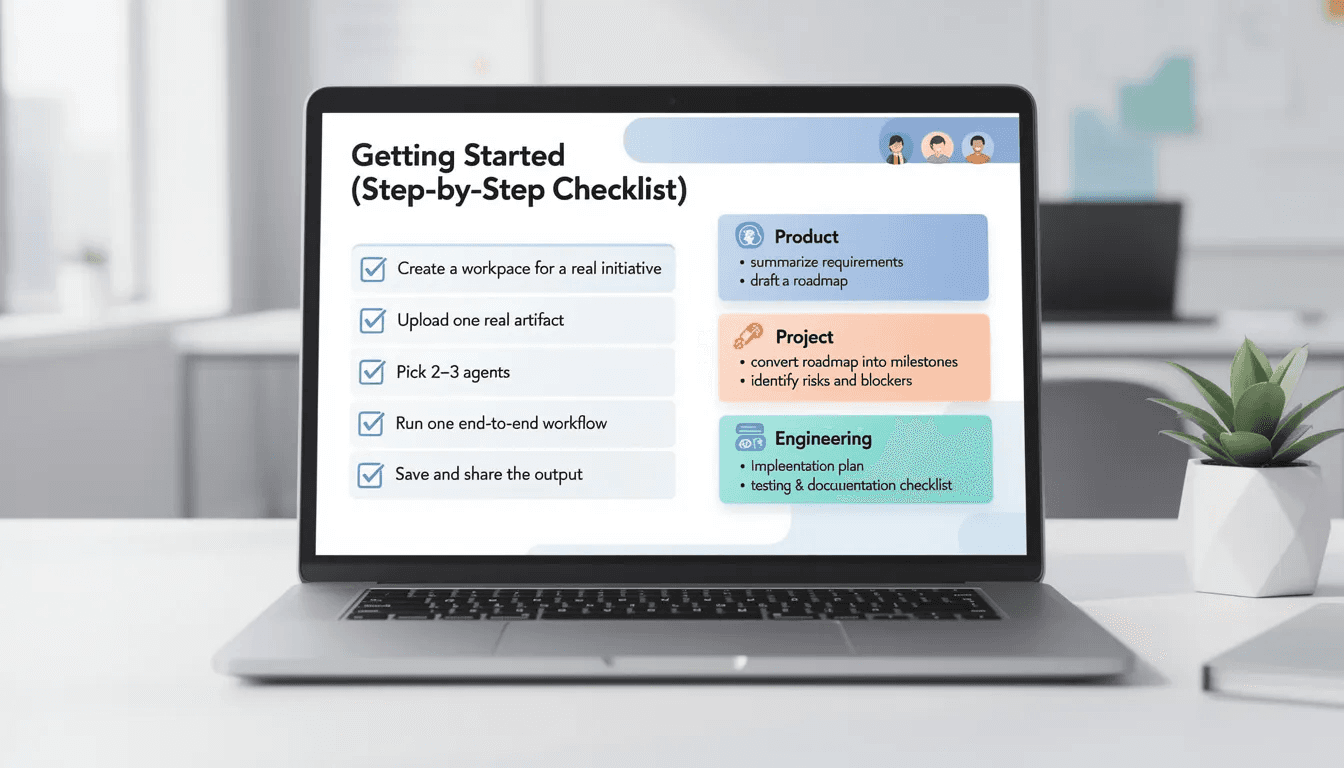
Getting Started (Step-by-Step Checklist)
Use this as a first-session playbook:
Create a workspace for a real initiative (not a demo).
Upload one real artifact: PRD, sprint plan, architecture notes, or a decision doc.
Pick 2–3 agents aligned to your goal (e.g., Product + Project + Engineering).
Run one end-to-end workflow, for example:
Product: summarize requirements + draft a roadmap
Project: convert roadmap into milestones + risks + blockers
Engineering: draft an implementation plan + testing/documentation checklist
Save and share the output inside the workspace so it becomes a reusable team context.
If you’re regulated or security-sensitive, define governance rules (context/memory/rules) before scaling to more workflows.
Try Complete.dev
If your team is already using AI but it still feels like copy-paste productivity, start by testing Complete on a single real workflow: one workspace, one artifact, one outcome.
Developers trained in a broad manner with Complete.dev are more resilient to market shifts and can quickly pivot to new technologies or project requirements.
If you need enterprise governance, identity/access controls, and custom agents, request an Enterprise demo.