
AI agent integrations
How connections work
Complete works as the AI integration platform for your whole stack, and every connection goes through our team before agents use it.

Tell us what you run
Share the tools and internal systems your workflows depend on, and we scope each connection with you.
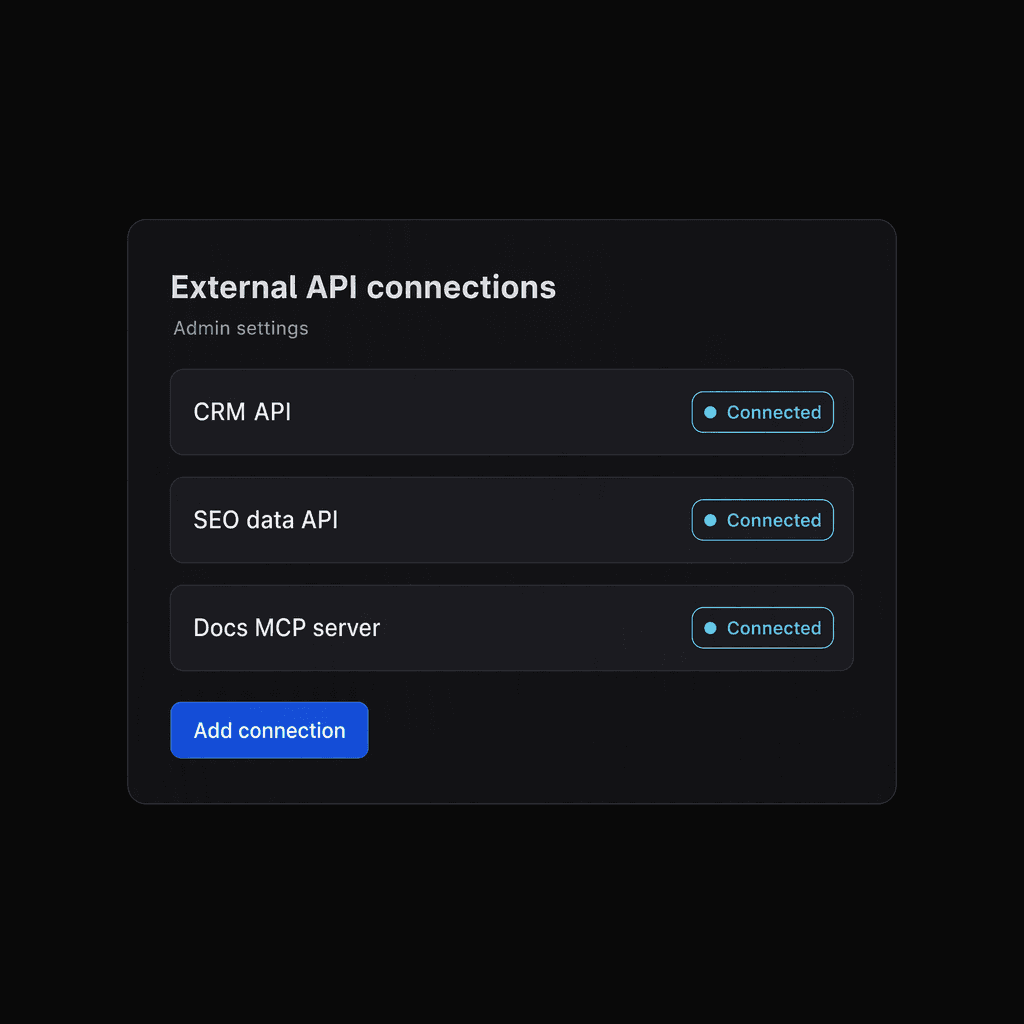
We set up the connection
Our team connects each tool through its API or MCP server, or builds a custom connector for internal systems.

Admins control access
Admins choose which connections each space's agents can use.
Connect across your stack
Anything with an API or MCP server can be connected, across every part of your stack.
Dev and engineering
Agents review code changes and keep issue trackers up to date.
CRM and sales
Agents update deal records and draft follow-ups from account history.
Marketing and SEO
Agents turn keyword and traffic data into page and campaign updates.
CMS and web
Agents draft page copy and stage site changes for approval.
Docs and knowledge
Agents search internal docs and keep shared knowledge current.
Communication
Agents post updates and answer questions in your team channels.
AI models and media
Agents turn scripts into voiceovers and recordings into transcripts.
Cloud and data
Agents query your data sources and build reports from the results.
Custom connectors for internal systems
Your internal tools don't need a public listing. If a system has an API, our team can build a connector so agents can work with it.
Tools agents can work with
A few examples from across the stack.
Marketing, SEO and CRM: HubSpot, Brevo, Semrush, Ahrefs, Google Search Console, Google Analytics
Web, social and engineering: Framer, X, SharePoint, GitHub, Azure DevOps
AI voice and media: ElevenLabs, Deepgram, fal

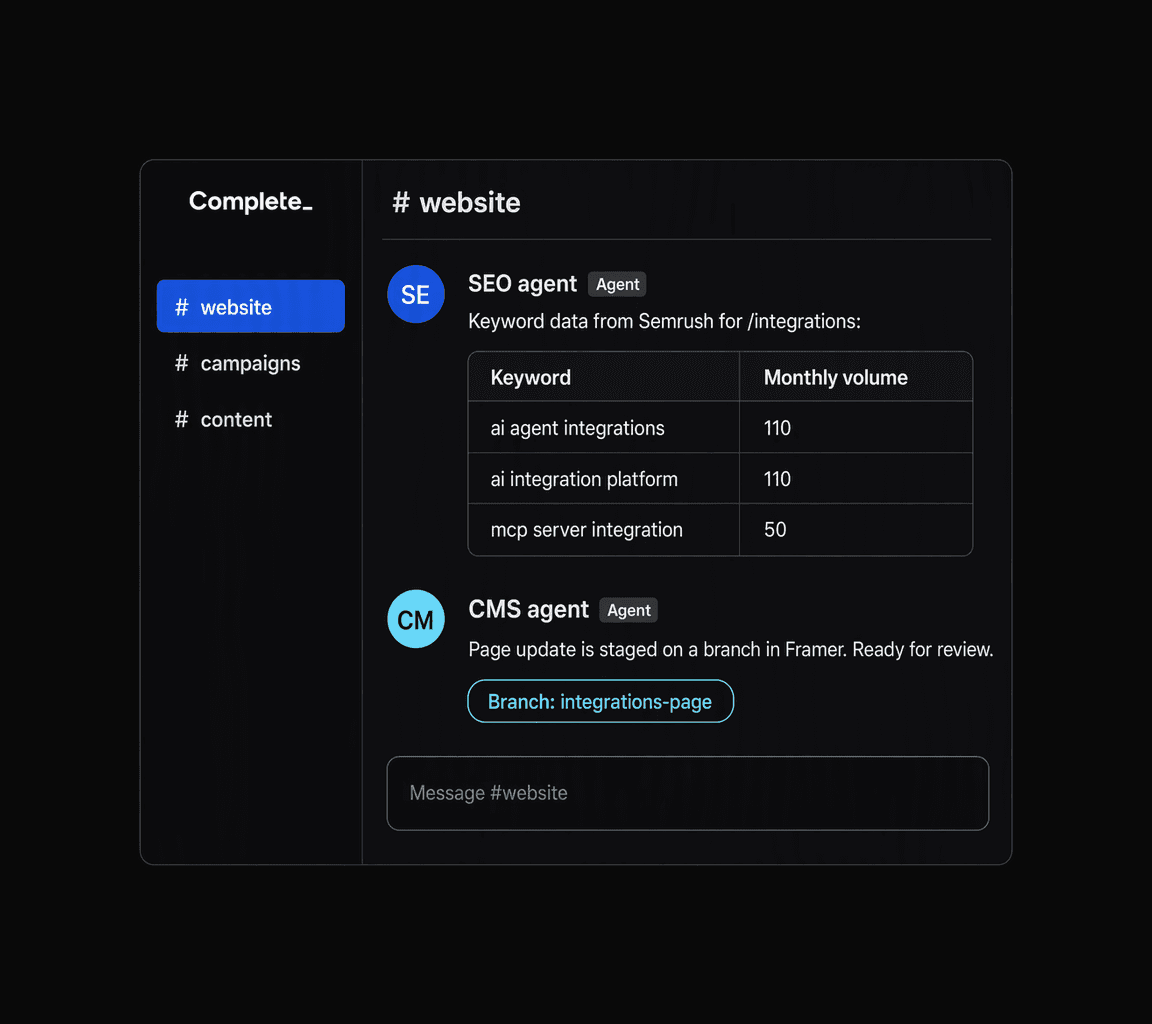
Agents work across your tools
A single workflow can pull from one tool and act in another.
From keyword data to a live page
An SEO agent pulls keyword data from Semrush, and a CMS agent applies the change in Framer.
API keys and MCP servers
Agents connect through whichever method a tool offers, an API key or an MCP server.












Frequently asked questions
Straight answers on how connections get set up.
Which tools can Complete agents connect to?
Tools with an API or an MCP server, including HubSpot, GitHub and Google Search Console. Our team sets up each connection.
What if a tool I use isn't listed?
How long does a new integration take?
Who controls which connections agents can use?